
Technology
What Happened to NippyBox? Shutdown, Safety, and File Recovery

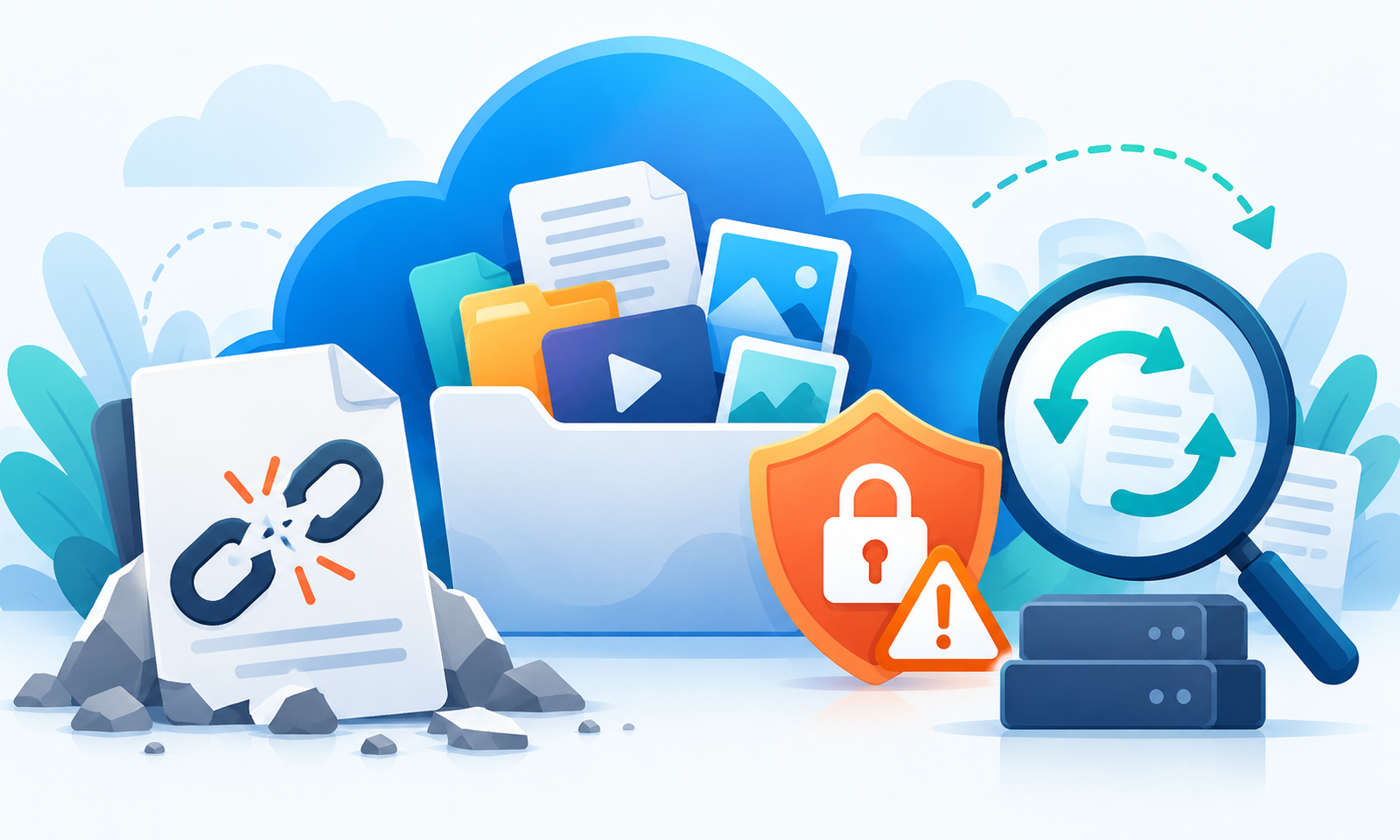
NippyBox was an online file-sharing service that let users upload files and share them through links. People used it to send documents, photos, videos, and other files. But in June 2025, the service became unavailable. Many users were left with old links that no longer worked.
In 2026, people still search for NippyBox to find out what happened. Some websites continue to describe it as an active cloud storage service. Yet official records tell a different story. This article explains how NippyBox worked, why it became unavailable, what Ofcom investigated, and what users should know about file safety and recovery.
What Was NippyBox?
NippyBox was a web-based file-hosting and sharing service. Its main purpose was to help people upload files and share them with others. Users could send a download link instead of attaching a large file to an email. This made it useful for sharing digital content online.
The service was linked to basic file storage and direct downloads. It was different from larger cloud tools like Google Drive and OneDrive. Those platforms offer many tools for storing, editing, and working on files. NippyBox was mainly known for its simple file-sharing approach.
Who Could Use NippyBox?
The service could be useful for people who needed to send files without using email attachments. Common uses for this type of platform included:
- Personal users: Sharing photos, videos, and documents.
- Students: Sending notes, schoolwork, and study files.
- Freelancers: Sharing designs, images, and completed work.
- Businesses: Sending reports, documents, and other files.
- Content creators: Sharing video, audio, and image files.
These are common uses for file-hosting services. However, there is no reliable public data showing how many people used NippyBox or which groups used it most.
How Did NippyBox File Sharing Work?
NippyBox was based on a simple idea. A person could upload a file to an online server and share a link with someone else. The other person could then use that link to access the file. This helped people send files without moving them through email.
For example, someone who wanted to share a video could upload it to a file-hosting website. They could then send the download link to a friend. The friend would open the link to get the file. NippyBox was associated with this type of direct file sharing.
Basic File-Sharing Process
The main steps were simple:
- Upload a file: Select a document, image, video, or another supported file.
- Get a link: The service provides a link to the uploaded file.
- Share the link: Send it through email, chat, or a message.
- Access the file: The receiver opens the link to view or download the content.
Some online reviews also describe folders, file search, and drag-and-drop uploads. They claim that users could rename files and manage them through a dashboard. However, reliable records do not confirm all these tools were part of the original service.
What Features Did NippyBox Offer?
NippyBox was mainly known for online file hosting. Its basic purpose was to store files and make them available through download links. Users could share digital files without sending large email attachments. This was its most useful reported function.
Several online reviews describe more advanced features. These include file search, device syncing, secure links, and storage plans. Some also claim that users could work together on shared files. However, these reports do not provide enough proof to confirm every feature.
File Uploads and Storage Limits
Some reviews report a 100 MB upload limit for free users. They also list 5 GB of free storage and paid plans starting at $3 per month. These figures have not been confirmed through reliable records from the original service.
Other reports describe support for common file types, including:
- Documents and PDF files
- JPG and PNG images
- MP4 videos
- Audio files
- Presentations and spreadsheets
Security and Device Access
Online articles also claim that the platform offered file encryption, password-protected links, and access from different devices. Some mention Windows, Mac, Android, and iOS support.
There is not enough reliable evidence to confirm these claims. The same applies to reports of automatic syncing, mobile apps, and two-step login checks.
These details matter because some newer reviews still present the features as available in 2026. Readers should not treat these claims as proof that the original service is active today.
What Happened to NippyBox in 2025?
NippyBox became the subject of an official UK investigation in June 2025. The investigation was opened by Ofcom, the UK’s communications regulator. It focused on whether the provider had followed certain rules under the Online Safety Act 2023.
On June 10, 2025, Ofcom announced its investigation. Just days later, the service became unavailable. Ofcom reported that people in the UK could no longer access it around June 15, 2025. The regulator also said that, to its knowledge, the service was unavailable more widely.
Key Dates in the NippyBox Case
| Date | What Happened |
|---|---|
| March 17, 2025 | Ofcom began a wider safety review of file-sharing services. |
| June 10, 2025 | Ofcom opened its NippyBox investigation. |
| Around June 15, 2025 | NippyBox became unavailable in the UK and apparently more widely. |
| October 13, 2025 | Ofcom reported that the service remained unavailable and its investigation was still open. |
| February 12, 2026 | Ofcom closed the NippyBox investigation. |
Ofcom continued to check the service after it became unavailable. On February 12, 2026, it closed the case after further checks and a review of the effect on UK users.
The regulator said it could reopen the investigation if needed. The closure did not mean that NippyBox had returned or that all safety concerns had been resolved.
Why Did NippyBox Shut Down?
The exact reason NippyBox became unavailable is not publicly confirmed. Its disappearance happened shortly after Ofcom opened its investigation. However, the timing alone does not prove that the investigation caused the service to close.
Ofcom was checking whether the provider had met certain online safety duties. These duties included sharing required information with the regulator and checking the risk of illegal content on the platform. The service became unavailable soon after the provider was told about the investigation.
What Is Known About the Shutdown?
The official records confirm these points:
- Ofcom opened an investigation on June 10, 2025.
- NippyBox became unavailable around June 15, 2025.
- The regulator continued to check the service’s status.
- Ofcom closed its investigation on February 12, 2026.
There is no reliable public proof that hacking, money problems, or server failure caused the shutdown. There is also no confirmed statement showing that every stored file was permanently deleted.
It is more accurate to say that NippyBox became unavailable than to claim a proven cause or a permanent shutdown. This is an important difference for anyone trying to understand what happened to the service.
What Did Ofcom Investigate About NippyBox?
Ofcom is the UK regulator that oversees several areas of communication and online safety. Under the Online Safety Act 2023, certain online services must take steps to reduce the risk of illegal content. These rules also apply to some websites that let users upload and share files.
The NippyBox investigation focused on whether the provider had met these legal duties. Ofcom wanted to check how the service assessed safety risks and what steps it took to protect users.
Main Areas of the Investigation
Ofcom examined whether the provider had:
- Answered an official request: Supplied information required by the regulator.
- Checked illegal-content risks: Assessed how users might share or come across illegal material.
- Kept proper records: Made and kept a record of that risk assessment.
- Met safety duties: Taken suitable steps to reduce the risk of illegal content, including child sexual abuse material.
The investigation was part of a wider Ofcom program covering file-sharing and file-storage websites. Other services under review included Nippyshare, Nippydrive, Nippyspace, and Krakenfiles.
An investigation does not mean every file stored on a service was illegal. It also does not mean that every user broke the law. Ofcom was examining the provider’s duties and safety measures.
Why Did Ofcom Close the Case?
On February 12, 2026, Ofcom announced that it had closed the NippyBox investigation. It said the service was no longer available to UK users and, to its knowledge, was also unavailable more widely.
The regulator had carried out further checks and reviewed the effect on UK users. It then decided to close the case. Ofcom also made clear that it could reopen the investigation if needed.
The decision did not confirm that NippyBox had met every rule. It also did not provide a final explanation for why the service became unavailable. The official record does, however, give a clear timeline of what happened in 2025 and early 2026.
What Happened to NippyBox? Shutdown, Safety, and File Recovery
Is NippyBox Still Working in 2026?
NippyBox is no longer known to be an active file-sharing service. Ofcom reported that the platform became unavailable around June 15, 2025. The UK regulator confirmed its status when it closed its investigation on February 12, 2026.
Some websites still describe NippyBox as a working cloud storage service. They mention free storage, file uploads, mobile apps, and security tools. However, these claims do not prove that the original service is still active.
Why Does NippyBox Still Appear in Search Results?
Search engines can show old pages long after a website stops working. Some sites also publish new reviews based on old details. This can make people think the service is still available.
A website may also use the NippyBox name without being linked to the original company. A matching name or logo is not enough to prove that a site is official.
As of October 2026, there is no reliable public proof that the original service has returned. People who need file storage should use an active platform with clear company details and support.
Is NippyBox Safe to Use?
NippyBox was used to share files through online links. However, its current status creates safety risks for people who find old links. The original service is unavailable, so users should be careful with unknown websites and downloads.
Some reviews claim that NippyBox used file encryption and strong security tools. They mention AES-256 encryption, password protection, and extra login checks. However, these features have not been confirmed through reliable records from the original provider.
Main Safety Risks to Know
Old file links may lead to websites that users do not know. Some pages may ask visitors to download software or share private details.
Common warning signs include:
- Unknown downloads: Files that may contain harmful software.
- Fake login pages: Sites that ask for email passwords.
- Strange redirects: Links that open unrelated websites.
- Payment requests: Pages that ask for money before giving access.
- Browser alerts: Warnings that a page or file may be unsafe.
A website is not always safe because it uses HTTPS or looks professional. Users should check the web address and avoid files they did not expect.
Keep your browser and security software up to date. Never turn off safety tools to open a file. Store important documents with a trusted service and keep a backup.
Can Old NippyBox Download Links Still Work?
Many people saved NippyBox links in emails, messages, and browser bookmarks. Some old links may still appear in search results. However, finding a link does not mean the file is still there.
When a file-hosting service stops working, its download links may fail. Files may no longer be available through the original website. There is no confirmed public way to recover files from the old NippyBox servers.
What Happens When You Open an Old Link?
An old download link may show:
- A page that cannot be found
- A server error
- A blank website
- A download button that does not work
- A link to another website
- A page asking for login details
For example, someone may have saved a work file link in 2024. When they open it in 2026, the page may fail to load. This does not prove that every copy of the file is gone. It only means that the old link no longer gives access.
Users should be careful if an old link opens a new or unknown website. The domain may now be under different control. Do not enter passwords or download unknown files from such pages.
How Can You Recover Old NippyBox Files?
Getting files back from NippyBox may be hard because the original service is unavailable. There is no verified public tool that can restore files from its old servers.
However, a broken link does not always mean a file is lost forever. You may have saved a copy on your computer, phone, or another storage service. The original sender may also have the file.
Steps to Find Your Missing Files
Try these steps before using any file recovery website:
- Contact the sender: Ask the person who shared the file if they still have it.
- Check Downloads: Look for files saved on your computer.
- Search your email: Find old messages with the file name or link.
- Check other devices: Search your phone, laptop, tablet, and external drives.
- Look through backups: Check Google Drive, Dropbox, OneDrive, or other storage accounts.
- Search old chats: The sender may have shared the file in another message.
If you know the file name, use it to search your devices. For example, a search for “Project Report.pdf” may help you find an old copy.
You can also check your computer’s Recycle Bin or Trash folder. Some backup tools keep copies of deleted files. Whether you can recover a file depends on where it was saved.
Can File Recovery Websites Help?
Be careful with websites that promise to recover all lost NippyBox files. There is no reliable proof that these sites can access data from the original service.
Do not give your passwords, bank details, or private files to an unknown recovery service. If no other copy exists, recovery may not be possible.
The best way to avoid this problem is to keep more than one copy of important files. Save them on a trusted cloud service and another device when possible.
How to Identify Fake or Unofficial NippyBox Websites
Some websites may use names or designs that look like NippyBox. This can confuse people who are trying to find the old platform.
A familiar name does not mean a website belongs to the same company. Web addresses can change owners. New sites can also use names that look like those of older services.
Signs of an Untrusted File-Sharing Website
Look for these warning signs:
- A strange web address with extra words or letters
- A page asking for passwords from another account
- A download button that installs unknown software
- Too many pop-ups or redirects
- A request to turn off browser security
- No clear company details or contact page
Even a clean-looking website can be unsafe. Before using a file-sharing service, check who owns it and whether it has a clear privacy policy.
Avoid uploading private files to a site you cannot verify. Do not trust a website only because it uses a known name or logo.
Is NippyBox the Same as Nippyshare?
NippyBox and Nippyshare were two different file-sharing services. Their names sound alike, but they should not be treated as the same platform.
Ofcom named both services in its wider online safety work. It also listed other services, such as Nippydrive and Nippyspace.
Always check the exact website address before opening a file. Details about one service may not apply to another. This is important when reading old reviews or trying to find missing files.
Best Alternatives to NippyBox for File Sharing
Since NippyBox is no longer a reliable choice, users may need another service. Several active platforms let people store, manage, and share files online.
The right choice depends on how you use your files. Some services are best for long-term storage. Others work well for sending files between people or devices.
Google Drive
Google Drive is an online storage service from Google. Users can upload files, create folders, and share documents through links. It also works with Google Docs, Sheets, and Slides.
A free Google account includes 15 GB of storage. This space is shared between Google Drive, Gmail, and Google Photos.
Google Drive is useful for students, office workers, and people who share documents with others. It also lets users work on some files together.
Dropbox
Dropbox is a cloud storage service that helps users save and share files. It can also keep files in sync across different devices.
Dropbox Basic offers 2 GB of free storage. Paid plans provide more space and other tools. Users can share files through links and shared folders.
Dropbox may be useful for freelancers and teams that work on files using more than one device.
Microsoft OneDrive
OneDrive is Microsoft’s online storage service. It works with Windows and Microsoft 365 apps such as Word, Excel, and PowerPoint.
A free Microsoft account includes 5 GB of cloud storage. Users can save photos, documents, and other files. They can also share files with friends or coworkers.
OneDrive is a good choice for people who already use Windows or Microsoft Office.
Send Anywhere
Send Anywhere is a file transfer service. It helps people send files between phones, computers, and other devices.
Users can share files through links or a six-digit code. The code is valid for a short time. Shared links also have time limits.
This service may suit people who want to send videos, photos, or documents without using a full cloud storage platform.
NippyBox Alternatives Comparison
| Service | Free Storage | Best For |
|---|---|---|
| Google Drive | 15 GB | Documents and shared work |
| Dropbox | 2 GB | File sharing and syncing |
| OneDrive | 5 GB | Windows and Office users |
| Send Anywhere | File transfer service | Sending files between devices |
These services offer different tools and storage limits. Some paid plans include more space and extra file-sharing options.
Before choosing a platform, check its current plans, privacy rules, and sharing settings. Keep another copy of important files so you do not depend on one service.
Frequently Asked Questions
Is NippyBox still available in 2026?
The original NippyBox service is not known to be active in 2026. Ofcom confirmed that it became unavailable around June 15, 2025. There is no verified public report of an official return.
Why did NippyBox shut down?
The exact cause is unknown. The service became unavailable soon after Ofcom opened an online safety investigation in June 2025. Ofcom closed the case in February 2026.
Is it safe to download files from old NippyBox links?
Old links may open broken pages, unknown websites, or unsafe downloads. Check the web address before opening anything. Avoid files you do not trust and never share passwords on unknown sites.
Can I recover my files from NippyBox?
You may be able to find another copy. Check your email, Downloads folder, old devices, and backups. You can also contact the person who sent the file. There is no verified public tool for getting files back from the old servers.
What is the best alternative to NippyBox?
Google Drive, Dropbox, and OneDrive are useful for online storage and file sharing. Send Anywhere is better suited to direct file transfers. Choose the service that fits your storage and sharing needs.
Conclusion
NippyBox was an online file-hosting service that let users upload and share files through links. It became unavailable around June 15, 2025, soon after Ofcom opened an investigation into its online safety duties. The regulator closed the case on February 12, 2026.
The exact reason for the service’s loss of access is still unknown. There is also no reliable proof that the original platform has returned in 2026. Users should be careful with old download links and websites that claim to be NippyBox.
If you need an old file, check your email, devices, backups, or the original sender. For future file storage, Google Drive, Dropbox, OneDrive, and Send Anywhere offer active options. Keep a backup of important files so they are not lost if one service stops working.


A smartphone rarely runs out of battery at a convenient moment. It usually happens when someone is following unfamiliar directions, waiting for an important business call, recording a special moment, or trying to complete a payment. The problem is not always that the battery is too small. Often, it is that modern phone usage has become unpredictable while charging opportunities remain limited. This is why choosing a dependable portable iPhone charger is increasingly about maintaining access to power rather than simply adding another accessory to a bag.
The deeper issue is that people use their phones in environments where traditional charging habits do not work particularly well. A wall adapter is useful at home, but less practical during a walking tour, a long commute, or an outdoor event. A car charger helps while travelling by road, yet offers little assistance when someone spends several hours away from a vehicle. Even wireless charging stands, despite their convenience, depend on having a suitable surface and a nearby power source. Different situations demand different solutions.
Understanding this challenge requires looking beyond battery percentages and advertised charging speeds. Charging technology involves energy conversion, electrical compatibility, temperature, battery behaviour, and the way people move throughout the day. Once these factors are understood, it becomes easier to build a charging system that is efficient, portable, and suited to real-world habits.
Why Battery Management Is More Complicated Than It Looks
A battery percentage is a useful indicator, but it does not tell the complete story of how much power a phone will need before the next charging opportunity. Two users can begin the morning with the same battery level and experience completely different results by lunchtime.
Consider someone who primarily reads messages and checks occasional notifications. Their phone may use relatively little energy. Another person might spend the same morning navigating through a city, taking photographs, attending video meetings, and using mobile data. The second person creates a much heavier workload, even though both devices display the same starting percentage.
Several systems contribute to this difference.
- Display activity: Large, bright screens require energy, particularly during extended use.
- Mobile connectivity: Searching for a stable network or maintaining demanding connections can increase consumption.
- Location services: Navigation and location-dependent applications can keep several systems active.
- Processing demands: Video recording, gaming, editing, and intensive applications require additional computing power.
- Background activity: Synchronisation, notifications, and application updates may continue when the screen is off.
The important lesson is that battery management should reflect behaviour, not just device specifications. Someone who frequently uses navigation needs a different charging routine from someone who spends most of the day at a desk.
The Difference Between Having Power and Accessing It
Electricity is widely available, but convenient access to it is not guaranteed. This distinction explains why portable charging has become an important part of everyday technology.
At home, a person can connect a phone to a wall adapter and leave it charging. In an airport, however, available sockets may be occupied or positioned far from comfortable seating. During a conference, the phone may need to remain in use throughout several sessions. On a road trip, charging opportunities may depend on the vehicle and the length of each stop.
These situations reveal a problem that battery capacity alone cannot solve. A device needs energy at the same time that its owner needs to use it.
A practical power strategy creates several opportunities to recharge. A wall adapter can handle overnight charging, a compact battery can provide flexibility during the day, and a vehicle adapter can support longer journeys. The goal is not to carry every possible accessory. It is to choose a small combination that covers the situations most likely to interrupt normal phone use.
How Charging Technologies Solve Different Problems
Not every charger transfers energy in the same way. Some rely on a physical connection, while others use wireless induction. Certain accessories prioritise compactness, whereas others focus on powering multiple devices.
Understanding these differences helps prevent purchases based entirely on marketing claims.
Wired Charging and the Importance of Power Delivery
Wired charging remains one of the most straightforward ways to replenish a smartphone battery. A cable creates a direct connection between the power source and the device, allowing compatible equipment to deliver energy efficiently.
USB-C has become especially important because it supports modern charging standards and provides a reversible connector. However, USB-C describes the physical connection, not the actual charging speed. A charger can have a USB-C port without supporting every advanced charging feature.
USB Power Delivery, or USB PD, allows compatible devices and chargers to negotiate suitable power levels. This means the phone can request an appropriate amount of energy instead of receiving an uncontrolled maximum output.
The cable matters as well. A low-quality or unsuitable cable can limit charging performance, even when the adapter itself is capable of delivering more power. For this reason, a charging setup should be considered as a complete system rather than a collection of unrelated specifications.
Wireless Charging and the Problem of Alignment
Wireless charging removes the need to connect a cable directly to the phone. It uses electromagnetic induction, transferring energy between coils inside the charging accessory and the receiving device.
This technology is convenient for people who regularly place their phones on desks, bedside tables, or charging stands. Magnetic alignment can make the experience more reliable by helping the charging coils remain correctly positioned.
However, wireless charging is not automatically faster or more efficient than wired charging. Energy losses, heat, alignment, case materials, and the supported charging standard can affect performance. A magnetic accessory should not be assumed to support every wireless charging feature simply because it attaches to the phone.
Battery Packs and Independent Energy Storage
Portable battery packs solve a different problem. Instead of requiring access to a wall outlet, they store energy internally and make it available whenever needed.
Their practical value depends on several factors. Capacity indicates how much energy the battery can store, while output specifications help determine how quickly it can supply energy to a connected device. Size and weight influence whether someone will actually carry it regularly.
A larger battery is not always the best choice. A traveller spending several days outdoors may appreciate additional capacity, while someone commuting between home and an office may prefer a lightweight model that fits easily into a pocket or small bag.
Why Different Charger Types Matter More Than Their Names

The charging market includes a wide range of designs, and understanding their intended purpose is more useful than memorising product categories.
For example, a standard wall adapter is designed to connect directly to an electrical outlet. A multi-port adapter can charge several compatible devices from one power source. A car charger uses a vehicle’s electrical system, while a wireless charging pad transfers power without a direct cable connection. Battery packs offer stored energy that can be used independently of an outlet.
These distinctions are particularly relevant when choosing equipment for a multi-device lifestyle.
Someone carrying an iPhone, wireless earbuds, and a tablet may benefit from a multi-port adapter at a workstation. A person who spends much of the day outside may find a portable battery more valuable. A driver who relies on navigation could benefit from a dedicated vehicle charging solution.
Readers who want to understand the broader technology landscape can explore Anker’s guide to types of chargers, which discusses the different charging options and their common applications. Knowing what each design is intended to do makes it easier to select accessories based on actual requirements rather than appearance.
The Hidden Role of Heat in Charging Performance
Charging speed receives considerable attention, but temperature deserves just as much consideration. Batteries operate within certain temperature limits, and excessive heat can affect charging behaviour and long-term battery health.
Heat can come from several sources. Fast charging generates some heat during energy transfer. Intensive phone use adds further thermal load, particularly when the display, processor, and network connection are active. Direct sunlight, hot vehicle interiors, and poorly ventilated surfaces can make the situation worse.
This explains why a phone may reduce its charging speed when it becomes too warm. Such behaviour is generally a protective measure rather than evidence that the charger has suddenly stopped working.
Good charging habits can help manage unnecessary heat:
- Avoid leaving a charging phone in direct sunlight.
- Do not cover the phone or charger with thick materials during charging.
- Reduce demanding activities when the device is already warm.
- Use compatible accessories from reliable manufacturers.
- Keep the charging area reasonably ventilated.
A charger should not be judged exclusively by how quickly it raises the battery percentage. Consistent performance and sensible temperature management are equally important.
Why Advertised Capacity Does Not Equal Actual Charging Results
One of the most misunderstood aspects of portable batteries is the relationship between advertised capacity and the amount of energy that reaches a phone.
A battery pack may display a capacity measured in milliampere-hours, commonly written as mAh. However, this figure does not represent a guaranteed number of full phone charges.
Internal battery voltage, conversion efficiency, output voltage, cable resistance, wireless transmission losses, and operating temperature all influence the amount of usable energy. Some energy is lost when the battery pack converts its stored power into an output suitable for the connected phone.
This is why two battery packs with similar advertised capacities may deliver different real-world results.
A more useful comparison considers the complete specification. Look at the stated energy capacity in watt-hours when available, output profiles, supported charging protocols, and manufacturer information about expected performance. Also consider the phone’s own battery capacity and the conditions under which charging takes place.
The practical question is not simply how many mAh a product advertises. It is how much useful charging time it can provide under the conditions in which it will actually be used.
Designing a Charging Routine Around Everyday Movement
A good charging setup should fit naturally into a person’s routine. If an accessory is too heavy, complicated, or inconvenient, it may remain at home when it is needed most.
A useful approach is to divide daily activities into different charging environments.
At Home
Home charging is best treated as the foundation of the routine. A suitable wall adapter and reliable cable can handle regular charging without requiring a portable battery to remain connected every night.
Keeping the charging area organised also reduces cable damage and makes it easier to use the correct adapter for each device.
At Work
A desk setup should prioritise convenience and compatibility. A suitable adapter can support a phone and other personal devices, while a charging stand can make it easier to keep the phone accessible.
For people who attend frequent meetings, a small battery pack provides additional flexibility when moving between rooms or working away from their usual desk.
During Travel
Travel introduces uncertainty. Delays, long journeys, unfamiliar locations, and extended use of navigation can all increase the demand for power.
A compact battery pack can provide independence from public charging points. Before leaving, it is sensible to check that the battery pack itself is charged, the cable is compatible, and the accessories are easy to access.
Outdoors
Outdoor use requires attention to environmental conditions. Direct sunlight can increase device temperature, while dust, moisture, and physical movement may affect the durability of charging accessories.
A suitable protective case and a secure charging arrangement can make the setup more practical. Wireless accessories should also be checked for compatibility with the case, since some designs can interfere with proper alignment.
What to Check Before Buying a Charging Accessory
A product description can contain impressive numbers, but those figures are useful only when they match the intended device and usage pattern.
Before purchasing, consider the following factors:
Device compatibility: Confirm the iPhone model, connector type, and supported wireless charging standards. Older Lightning models and newer USB-C models may require different cables.
Power output: Check the charger’s supported output and whether it provides the charging protocol required by the phone.
Capacity: Choose a battery size that reflects how long the phone normally stays away from an outlet. Avoid paying for unnecessary capacity if portability matters more.
Port selection: Consider whether one connection is sufficient or whether multiple ports would help charge additional devices.
Dimensions and weight: A battery pack that is difficult to carry may not become part of a daily routine.
Safety and certification: Look for reputable manufacturers, clear product specifications, appropriate safety protections, and relevant certification information.
Charging convenience: Consider whether a cable, magnetic attachment, charging stand, or multi-port adapter best suits the environment.
A well-matched accessory is usually more valuable than the product with the largest capacity or highest advertised wattage.
The Future of Personal Charging Is About Flexibility
Charging technology continues to evolve, but the most meaningful improvements are not necessarily about making every charger faster. Greater convenience, better compatibility, improved thermal management, and more adaptable designs can have a significant effect on everyday use.
USB-C has helped simplify connections across many modern devices. Wireless standards continue to develop, while magnetic charging designs make it easier to position compatible phones and accessories. Battery packs are also becoming more versatile, with different capacities, integrated cables, multiple outputs, and compact designs serving different needs.
Another important development is the growing expectation that people should be able to charge several devices without carrying a separate adapter for each one. This encourages more practical charging ecosystems built around shared standards and compatible accessories.
Still, technology cannot eliminate the need for sensible decisions. A powerful charger will not solve every battery problem if the cable is unsuitable, the phone overheats, or the accessory is incompatible. Better results come from understanding how the entire system works.
Conclusion
Reliable smartphone charging is no longer just about finding an electrical outlet. It is about maintaining access to energy across changing environments, different workloads, and unpredictable schedules. Wired adapters, wireless charging systems, vehicle chargers, and portable battery packs each have a role, but their usefulness depends on how well they match a person’s daily activities.
The smartest approach is to build a simple, compatible setup that balances portability, capacity, charging performance, and safety. Once charging decisions are based on real needs rather than impressive specifications alone, it becomes much easier to keep an iPhone ready for the moments when it matters most.
Frequently Asked Questions
What should I look for in a portable charger for an iPhone?
Check compatibility with your iPhone model, battery capacity, output power, supported charging protocols, dimensions, and safety features. The best choice depends on how often you travel and how much additional battery life you normally need.
Is a USB-C charger suitable for every iPhone?
No. Newer iPhone models use USB-C, while older models may use Lightning. Always check your device’s connector and choose the appropriate cable and compatible charging adapter.
Is wireless charging better than wired charging?
Neither option is universally better. Wired charging is often more efficient and can offer higher charging speeds with compatible equipment. Wireless charging provides convenience by removing the need to connect a cable directly to the phone.
Does a higher-capacity power bank always provide more phone charges?
Not necessarily. Conversion losses, output voltage, temperature, and charging efficiency affect how much stored energy reaches the phone. Advertised capacity should be considered alongside practical output specifications.
Can using a fast charger damage an iPhone battery?
A compatible, reputable charger does not automatically damage an iPhone simply because it supports a higher maximum output. The phone manages the power it accepts. Excessive heat and poor-quality accessories are more important concerns, so choosing suitable equipment and maintaining reasonable charging conditions is essential.


The digital world has brought about new methods of people and businesses sharing ideas, introducing products, and building online communities. A fast-growing trend is the AI influencer, a virtual human character who uses AI along with creative design to produce content and connect with audiences on social media platforms. Different from regular content creators, these characters are created using a mix of artificial intelligence and a creative design process. In addition to their use in creating content and interacting with customers through product promotions or entertainment, they can also be used in lifestyle pictures, fashion videos, etc. With innovative tools at our disposal such as Dreamina, digital artists or designers can come up with several concept variations and character designs. As a result, one of the areas where this change has taken off is telling digital stories and setting up online brands.
The Concept of Virtual Content Makers
The virtual content maker is a digital figure that has its own look, preferences, and way of communication. It might be presented as fashionistas, tech lovers, or even travel junkies who will be a major influence in fitness, lifestyle, and other niche markets. The persons or companies who launch them handle all their online activities. Every picture, caption, and clip has been put together to reflect the characteristics of the figure. Thus, they present a channel to creators who can build a well-recognized online identity without having to rely on traditional photo sessions or human spokespersons.
AI Influencers’ Future Prospects
As creative technology becomes more advanced, we can see a future in which digital characters become highly interactive. Advancements such as more realistic animation, better voice synthesis, and higher-quality video editing technologies enable virtual personalities to engage people more actively through various forms of digital content, not only videos or images. In fact, marketing departments of large companies might be using virtual characters in their ads, online stores, and even learning sessions for customers. These kinds of scenarios would generate fresh opportunities and revenue for creators as well as marketers.
Conclusion
Faster development in AI technology is opening new channels for digital content creators and brands to interact with or reach audiences via social media. Using AI to create a digital character that the user can interact with not only enhances the experience for the creator but also gives the business opportunities for their promotion online in a way different from what they have been doing through the years. The ability to generate unique content through such characters can lead to the launch and sharing of stories and, of course, the showcasing of products. At the same time, it’s worth saying that one can’t build a successful virtual influencer just by acquiring cutting-edge technology and having a cool idea.
The role/character should have a clear niche (something that differentiates it from others, a kind of personality), always look and act the same (in other words, there shouldn’t be a sudden change in appearance from one day to another, which would probably confuse the audience and lead to a loss of their interest), provide content that is of some value to the audience, and make the audience feel the authenticity of the interaction through honest communication and responses. In conclusion, a virtual creator or a digital character can only be a meaningful and long-lasting asset for the content creators and marketers if the user’s interests and the needs of the target audience are taken into consideration when developing the character, as well as the personality is kept consistent and recognizable to the audience.
FAQs
Which social media platform is best for Virtual Influencers?
Instagram, TikTok, and YouTube are widely used as well. As you can imagine, the main factor that determines what social network to use will be the character’s niche, the kind of content that you plan to produce, and the group of consumers that you have in mind.
Can an AI influencer be profitable?
Indeed, an AI influencer has the potential to be monetized. Ways of making money might be sponsorships, affiliate marketing, brand partnerships, licensing, and digital products. The result is determined by the level of audience interaction and presence in the market for products and services.


Choose a UK gaming PC by setting your budget first, then matching it to your screen and games. Put most of your money into the graphics card, then add 16GB of RAM and an SSD, and keep room for upgrades.
Buying a UK gaming PC should feel fun. Instead, it often feels like homework. Prices swing every week, and spec sheets read like a secret code. Choose the wrong parts, and you could burn hundreds of pounds. Veno Scorp builds its custom rigs in-house, and that hands-on view shapes the steps below.
Start With Your Budget Before You Shop for a Gaming PC in the UK
Your budget decides almost everything. So, lock in a number first. Then leave a little room for a monitor, keyboard, and mouse. Plenty of buyers forget those extras, and it stings later. Don’t pay for power you’ll never use. Here’s what each price band usually buys in a gaming PC UK search.
| Budget | Typical Parts | Best For |
| Under £500 | Entry GPU, refurbished or older parts | Esports, Minecraft, Roblox |
| £500 to £999 | Ryzen 5, RTX 5060, 16GB RAM | Fortnite, Valorant, GTA V |
| £1,000 to £1,999 | Ryzen 7, RTX 5060 Ti or 5070, 1TB SSD | 1440p AAA games |
| £2,000+ | Ryzen 7 X3D, RX 9070 XT, 32GB RAM | High-refresh 1440p, light 4K |
Pro tip: Check bundles first, since they already include peripherals.
Match Your Games and Screen to the Right UK Gaming Rig
1080p Gaming Performance for Esports Titles
Do you play Fortnite, Valorant, or Minecraft on a 1080p screen? A mid-tier graphics card is plenty. Esports players care about speed, not fancy visuals. So chase high frame rates instead.
1440p and 4K Gaming for AAA Titles
Cyberpunk 2077 and Red Dead Redemption 2 punish weak hardware. A stronger GPU keeps frames smooth at 1440p. 4K asks for even more power, so plan a bigger budget. Nobody wants lag to steal their win.
Monitor Refresh Rate and Screen Match
A fast PC needs a fitting screen. A 144Hz monitor shows smoother motion than a basic 60Hz panel. Otherwise, you waste the frames your GPU creates. Many popular esports games run well on mid-range cards. You rarely need a top-tier GPU.
Pro tip: Read each game’s recommended specs before you buy. Then pick a PC that beats them.
Spend Smart on the Parts Inside a Gaming PC in the UK
Graphics Card (GPU) Comes First
The GPU drives your frame rates. Spend the biggest share of your money here. Both Nvidia RTX and AMD Radeon cards perform well. Cheap cards age fast, so don’t pinch pennies. A weak one can ruin your next victory.
Processor (CPU) for Smooth Frame Rates
Pair that GPU with a balanced CPU. A Ryzen 5 or Ryzen 7 suits most players. Just avoid a processor that holds your graphics card back. Expert insight: a balanced system beats one flashy part. A top GPU with a weak CPU wastes money.
RAM and SSD Storage for Fast Load Times
Here’s a quick memory and storage guide:
- 16GB RAM: The sweet spot for most games.
- 32GB RAM: Ideal for streaming and heavy multitasking.
- 1TB SSD: Enough space for several big titles.
Skip old hard drives. An SSD loads games much faster.
Power Supply, Case, and Cooling Basics
Don’t ignore the boring parts. A solid power supply protects every other component. Good airflow keeps temperatures low, so your PC stays fast and quiet. Pick a case with space for dust filters and extra fans.
Weigh Prebuilt Against DIY When You Buy a Gaming PC in the UK
Why a Prebuilt Gaming PC Saves Time
A prebuilt gaming PC in the UK option arrives tested and ready to plug in. You skip the part hunting and fiddly assembly. Most systems include warranty cover and UK-based support. Bundles add a monitor, keyboard, and mouse, so you can play right away. Some sellers also offer next-day delivery and finance plans. Short on cash? Refurbished systems can also work, since sellers test them and often add a warranty. Buying online? UK law usually gives you 14 days to cancel.
Here’s a quick comparison:
| Factor | Prebuilt | DIY Build |
| Time | Ready to play | Several hours |
| Support | Warranty and help | Claims per part |
| Cost | Bundles add value | Deals can save money |
| Risk | Low | Higher |
How to Build a Gaming PC at Home
Here’s how to build a gaming PC that UK gamers can finish in one weekend:
- Set a budget and pick compatible parts.
- Check that the CPU fits the motherboard socket.
- Install the CPU, RAM, and cooler on the board.
- Mount the board, power supply, GPU, and SSD in the case.
- Install Windows, then update your drivers.
Building can save money, but it takes time and patience. One wrong part can cost you dearly. Prebuilt systems remove that risk.
Upgrade Paths and Future-Proofing
Pick a PC with room to grow. Upgrade-friendly builds let you swap the GPU, RAM, and storage later. Ask the seller which parts you can swap easily. That protects your money as new games arrive.
Avoid These Costly Mistakes When You Buy a Gaming PC in the UK
Even smart shoppers slip up. Watch out for these traps:
- Ignoring the power supply: A weak unit can crash your system.
- Skipping airflow: Hot parts slow down and wear out sooner.
- Chasing RGB over specs: Looks fade, but frame rates matter daily.
- Choosing 8GB RAM: Modern games need more breathing room.
- Forgetting upgrade paths: Pick a case and board that grows with you.
Fix these early, and your rig will last for years.
Real Gaming PC Picks for UK Players at Every Price
These real systems show how budgets turn into performance:
- Under £500: Browse budget gaming PCs for esports and light titles.
- Around £900: The Spectra pairs a Ryzen 5 5500, RTX 5060, and 16GB RAM from £919.
- Around £1,600: The Mini Nemesis packs a Ryzen 5 9600X and RTX 5060 Ti 16GB from £1,589.
- Around £1,800: The Nemesis 4 runs a Ryzen 7 7700X, RTX 5070, and 1TB SSD from £1,799.
- Premium: The Nemesis 7 ARGB uses a Ryzen 7 9800X3D, 32GB RAM, and RX 9070 XT from £2,449.
Prices were live at the time of writing and may change.
Find Your Perfect Gaming PC Today!
Your ideal UK gaming PC is closer than you think. Set your budget, match your games, and choose balanced parts. Need a hand? Veno Scorp offers personalized advice, flexible finance, and UK-based support. Take the first step today, and start playing sooner.

Company Formation in Hungary for Non-EU Citizens: Residency and Work Permit Requirements

Beyond the Sports Band: Pairing RYAN London Leather Straps and iPhone 18 Cases with Tailored Attire

Why Your iPhone Needs a Smarter Power Strategy: The Science of Staying Charged Anywhere

Nancy Simon: Meet Neil Simon’s Daughter and Woody Harrelson’s Ex Wife

Who Was Russell Derek? Inside The Life of John Derek’s Son

Who is Kassidy Duhamel? All About the Life of Josh Duhamel’s Sister
-
 Celebrity2 months ago
Nancy Simon: Meet Neil Simon’s Daughter and Woody Harrelson’s Ex Wife
-
 Biographies4 months ago
Who Was Russell Derek? Inside The Life of John Derek’s Son
-
 Biographies4 months ago
Who is Kassidy Duhamel? All About the Life of Josh Duhamel’s Sister
-

 Biographies4 months ago
Steven Fleischmann: Inside the Love Story of Erin Moran and Her Husband
-

 Biographies4 months ago
Caleb Michael Jackson: The Untold Story of Lisa Vultaggio and Jonathan Jackson’s Son
-

 Biographies4 months ago
Micah Emmanuel Lanfer: All About the Life of Sarah Drew and Peter Lanfer’s Son
-

 Biographies4 months ago
Who is Bear Beghe? All About the Life of Jason Beghe’s Son
-

 Biographies4 months ago
Mackenzie Stiles: The Real Story of Ryan Stiles’ Daughter